CineTransfer macOS file transfer
Your iPhone is a drive.
Finally.
Skip iCloud sync, AirDrop roulette, and Image Capture's limited view. CineTransfer gives you a real file browser for your iPhone or iPad: plug in over Thunderbolt or USB, see everything on your device, and move files directly to your Mac, an SSD, or wherever you need them.
macOS · Apple Silicon · Intel (x86) available on request
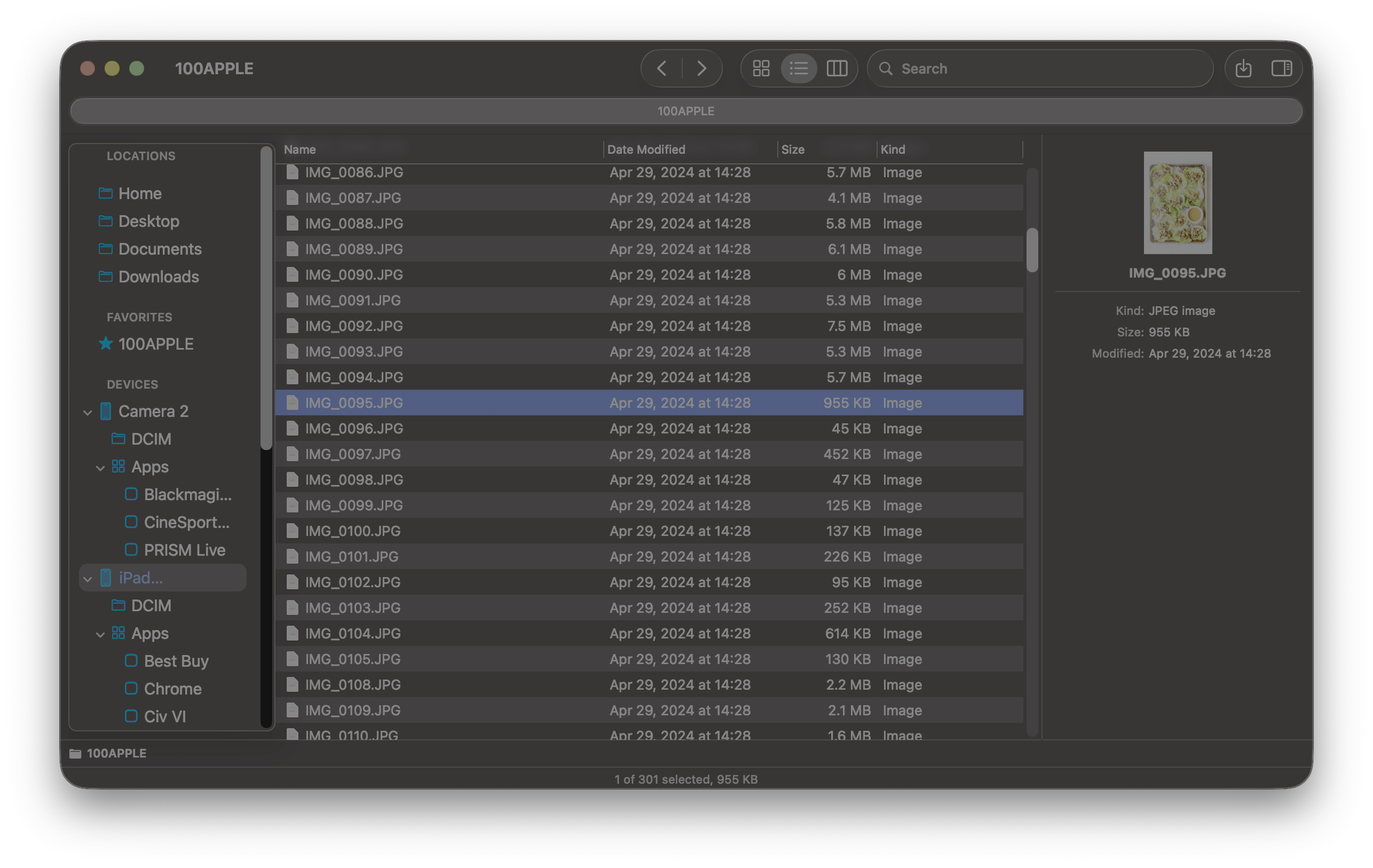
Beyond Camera Roll
See everything, not just what Image Capture shows you.
Browse your camera roll, Downloads folder, app containers, and media directories from one sidebar. CineTransfer exposes every file iOS makes available — not just the DCIM silo.
Reliable transfers
No silent failures. No "device unreachable." No corruption.
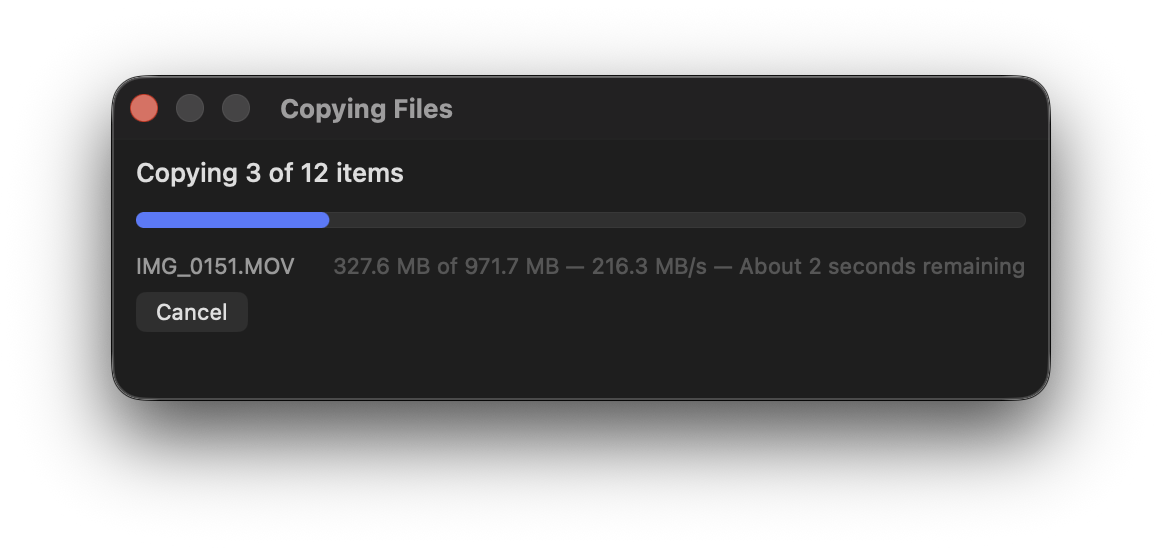
Chunked streaming means files never load entirely into memory, so 60 GB ProRes transfers won't crash your workflow. Optional SHA-256 verification confirms every byte arrived intact.
Built for speed
Saturate your connection, not your patience.
CineTransfer pushes USB 3.0 and Thunderbolt connections to their real-world limits with configurable chunk sizes up to 128 MB. One minute of 4K ProRes can be 7 GB — you need every MB/s.
How it works
Three steps. No workarounds.
No cloud uploads, no pairing apps, no kernel extensions. CineTransfer talks directly to your device over USB and gets out of the way.
Plug in
Connect via USB. Your device appears in the sidebar in about two seconds. No pairing apps, no cloud accounts, no kernel extensions to install.
Find your files
Column view, list view, or thumbnails. Spacebar to Quick Look any file on-device. Search by name. Navigate camera roll, Downloads, app folders — all accessible from one window.
Move them anywhere
Drag to Finder, copy to an external SSD, or set a default destination folder. Turn on Auto-Ingest to copy your camera roll the moment you plug in — zero clicks required.
Best for
For anyone who's fought with file transfer on iOS.
Whether you're offloading ProRes dailies, pulling game recordings for parents, or just trying to get files off your phone without losing your mind — CineTransfer was built for you.
Shot 60 GB of ProRes on your iPhone? Drag it to your edit drive over USB. No iCloud upload, no AirDrop guesswork.
Recorded the whole tournament with CineSportCam? Plug in, and Auto-Ingest copies the footage while you pack up.
Pull screen recordings, podcast takes, and app exports off your iPad without hunting through sync panels or cloud queues.
If you've ever lost a transfer at 90%, seen "device unreachable," or waited for AirDrop to move what USB could handle in minutes — this is for you.