Cinecraft. Sports-first streaming tools.
Sports streaming and scoring that just works.
Cinecraft builds practical tools for families, clubs, and tournament operators who need a clean stream, simple scorekeeping, and easier viewing for people at home.
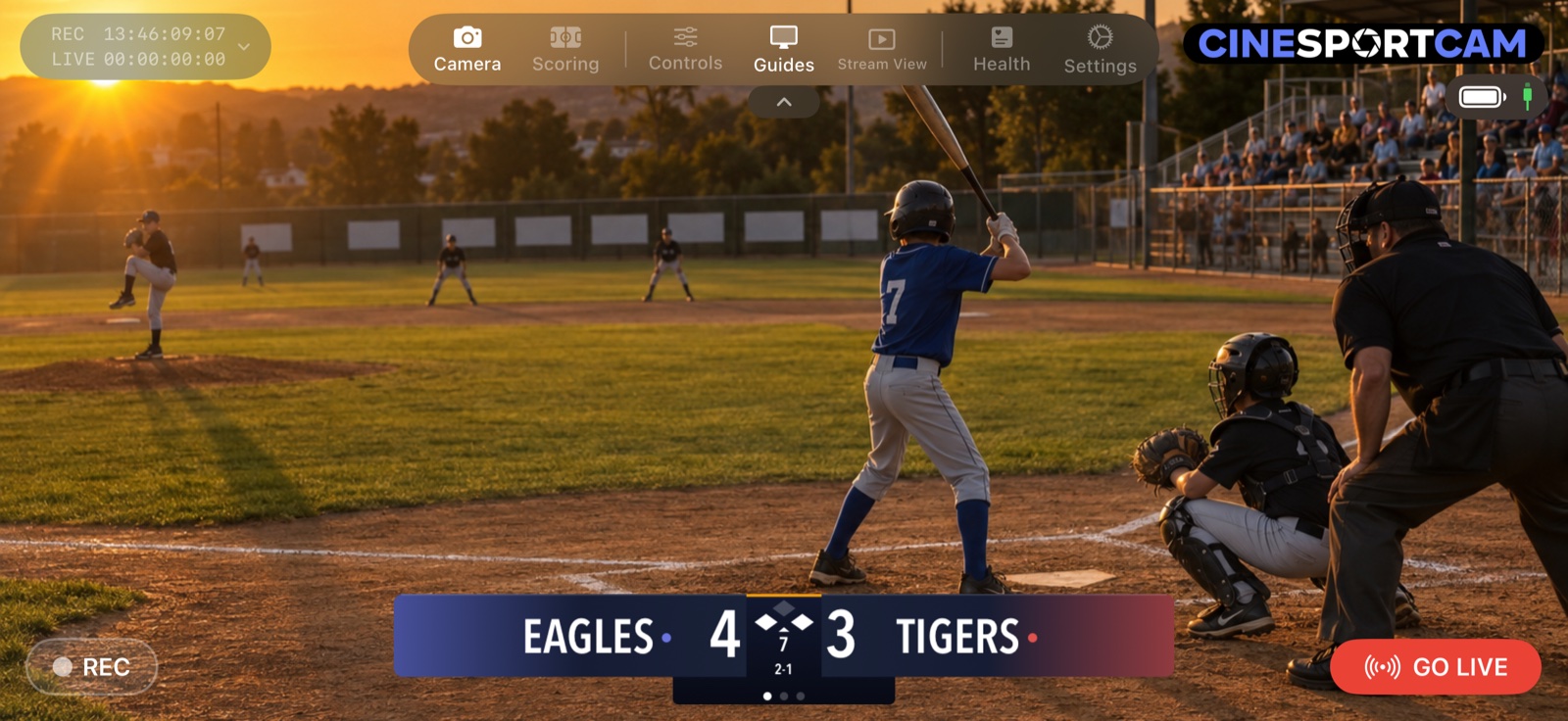
New in 2.6
Your camera in OBS, your crest on air, your score in the chat.
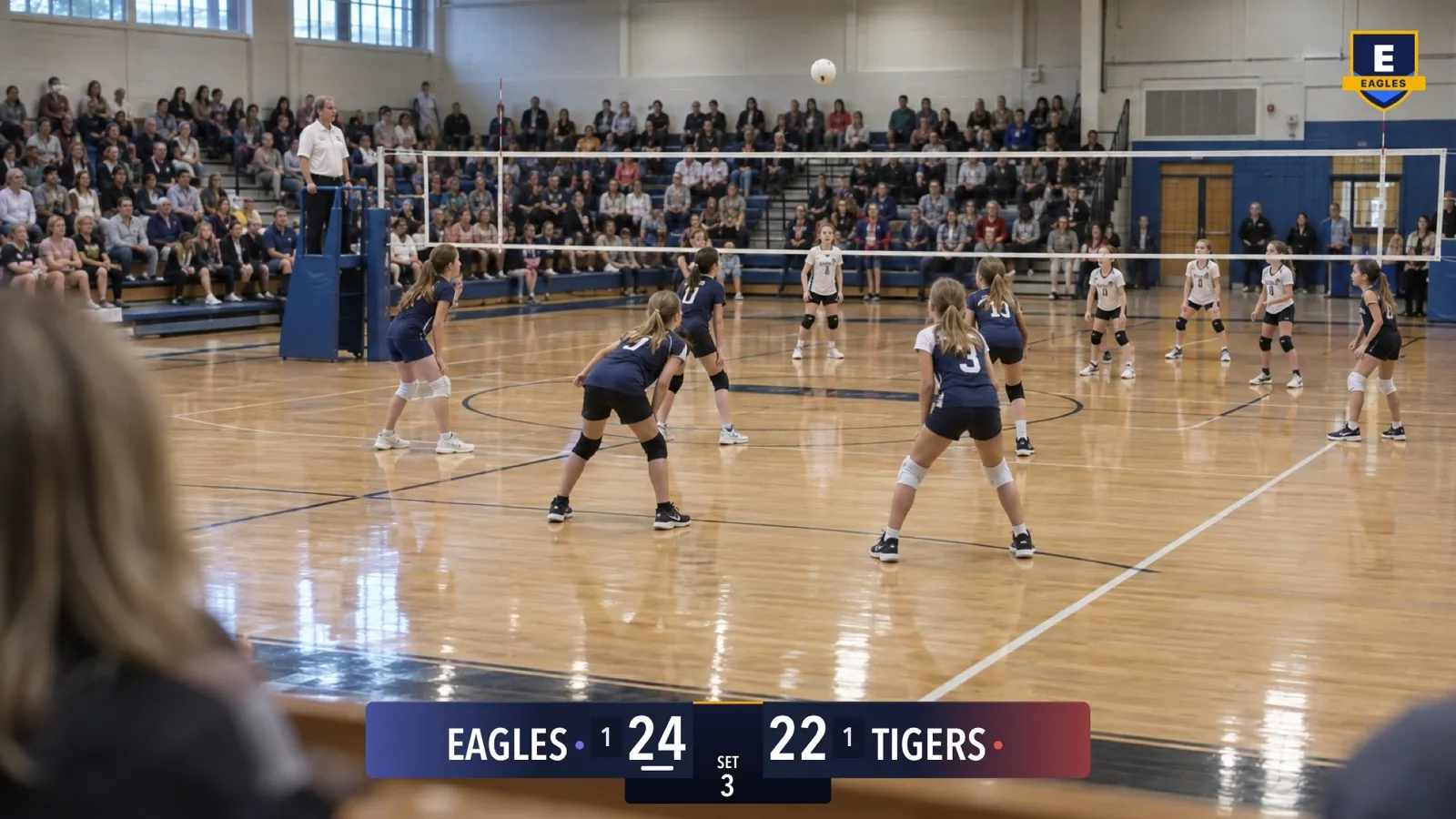
Your logo on stream
Put your club's crest in the corner of the stream, the recording and NDI. Pick the corner and the size; it stays put while you're live. Pro.
NDI
NDI for everyone
Send the camera, scoreboard included, to OBS, vMix or any NDI app on the same Wi-Fi. Free at 720p/30. Pro up to 1080p/60, with a clean feed.
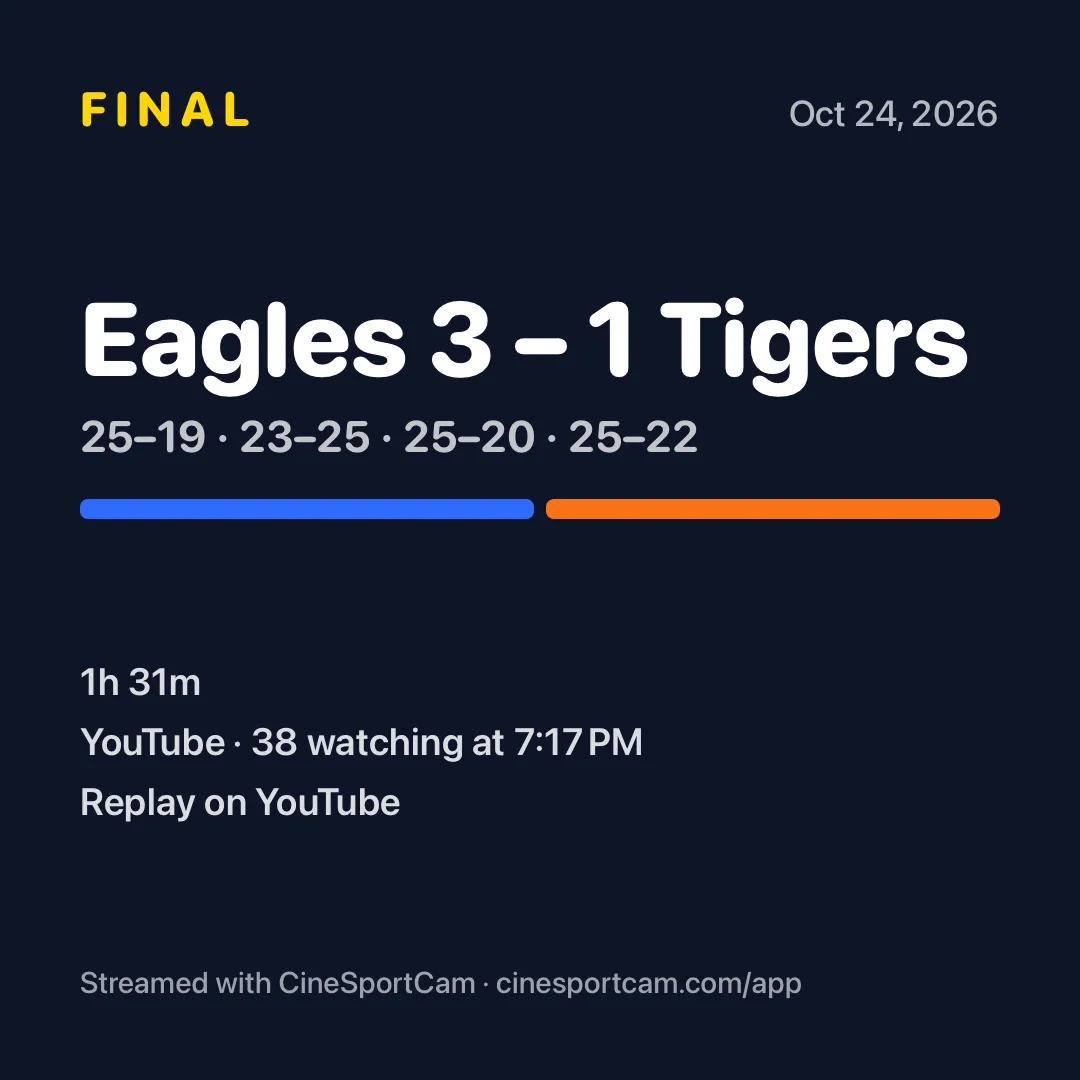
The final score, ready to share
Tap Share on the end-of-game recap to send a score card with the final, the set scores and the replay link.
Share while you're live
A Share button beside QR on the scoring screen sends your viewer link without leaving the score.
Game day
- Step 1 of 4
Tap Go Live.
Pick YouTube, Facebook, or Twitch. The scoreboard is already on the broadcast, and the phone records a 4K copy the whole time.
- Step 2 of 4
Show the QR code.
Another parent scans it with their camera app. No install, no account, no password to read out across the gym.
- Step 3 of 4
They keep score. You watch.
Their phone becomes the scoreboard. Every tap shows up on the broadcast instantly, and they can see stream health and your battery too.
- Step 4 of 4
Check on it, if you want.
Bitrate, dropped frames, network, recording. Glance once, then put the phone down and enjoy the game.
Interactive simulator
Click any button or control to learn what it does. Use the toolbar to switch between Camera, Scoring, Health, and Settings modes.
Remote scoring
Tap the score buttons below and watch the scoreboard update on the camera above in real time.
Flagship product
CineSportCam. Never miss a game.
One iPhone. One clean sports stream. No logins for the person filming, the person scoring, or the people watching. Less friction means the parent behind the camera actually gets to watch.

Best fit
Clubs, parents, schools, and tournament operators who need a setup any volunteer can run.
Why families like it
No accounts, fast setup, QR scorekeeping, and viewing on the platforms families already use.
Product lineup
Start with the sports workflow.
From game-day streaming to production switching and media management, Cinecraft covers the whole workflow. Pick the piece that fits.
CineSportCam
Sports-first streaming with QR scorekeeping
A cleaner youth sports streaming workflow with simple setup, remote scoring from any phone, and easier viewing for families at home.
CineTransfer
Finder-style browsing with fast file transfer
Browse your iPhone or iPad like a connected drive and move large files to your Mac with a faster, cleaner workflow.
CineSwitcher
Live switching for richer productions
An iPad video switcher for multi-camera live production. Mix feeds, switch sources, and stream, all from your iPad.
From the sideline
“It just works!”
D. Smith · NY
Built for the parent, coach, or volunteer who just needs it to work.
If the goal is simple game-day streaming with easier scorekeeping and better viewing for family at home, start with CineSportCam.
Now available on the App Store.