Ice hockey scoreboard guide
Every CineSportCam ice hockey board, the period and the game clock (free on every board), and what viewers see.
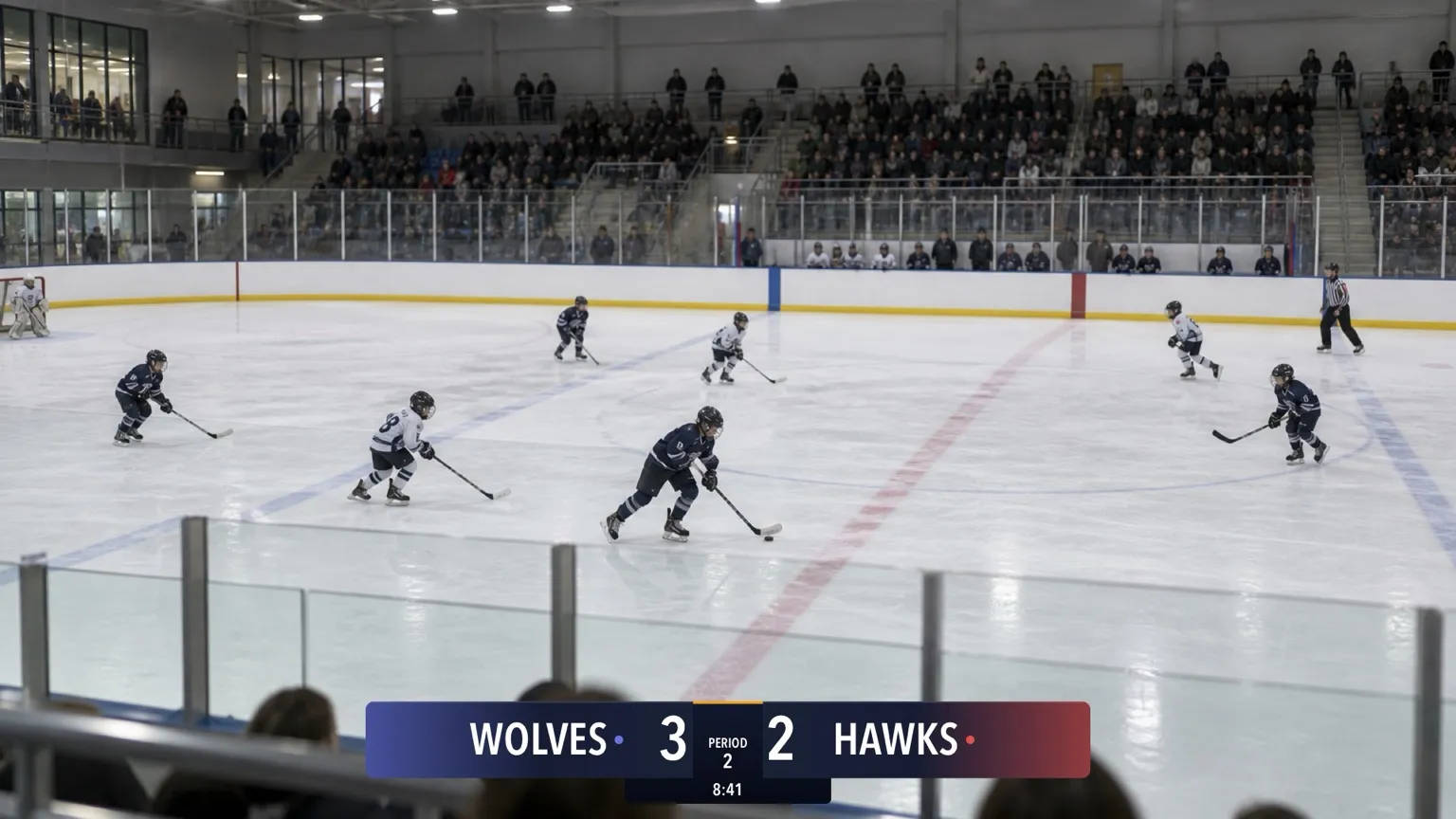
For parents and volunteers streaming hockey from the glass. Every hockey board, including the free one, has the period and the game clock. New to the scoreboard? Start with How to set up your scoreboard.
Pick your board
Ice hockey has 6 boards, one per card: four looks along the top or bottom and two Vertical sizes for a corner. There’s no Advanced or Compact board, because every board already shows everything.
Horizontal




Vertical
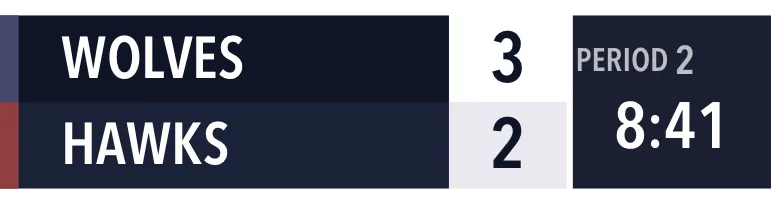
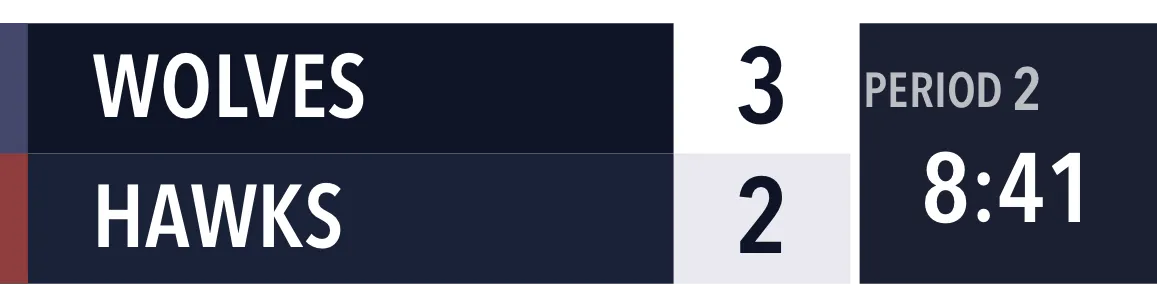
| Board | Free or Pro | What viewers see |
|---|---|---|
| Classic · Standard | Free | Team names, scores, PERIOD (or OT) with the period, and the clock. |
| Broadcast, Studio or Slim · Standard | Pro | The same, in that look and in your team colors. |
| Vertical and Vertical Large | Pro | The same, in a corner of the frame. |
The rules
Hockey uses fixed rules, so there’s no Rules page: three 20-minute periods, then one overtime period, shown as OT 1.
Score a game
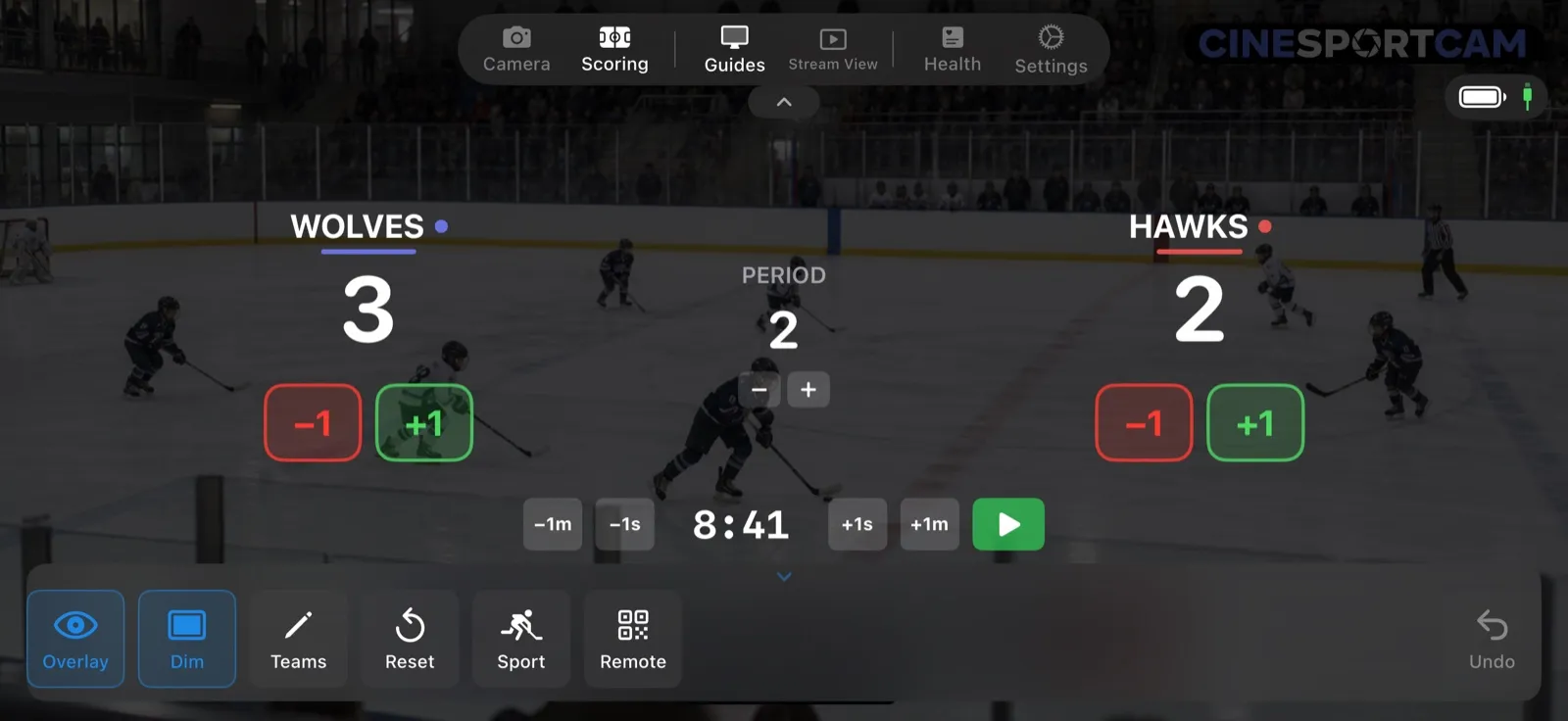
- +1 and −1 for each team.
- The period, with − and +.
- The clock row: −1m, −1s, +1s and +1m to set the clock, and the play and pause button to run it.
The clock is free on every hockey board.
What viewers see
Second period, 8:41 on the clock: WOLVES lead HAWKS 3–2.
Remote scoring
Someone in the stands can keep score from their phone’s browser, so you can keep the camera on the puck. See the remote scoring guide to start a session.
Tips
- Start the clock with the puck drop and pause it at each whistle with the play and pause button.
- Fine-tune with ±1s. If the board drifts from the rink clock, nudge it to match.