Baseball and softball scoreboard guide
Every CineSportCam baseball board, the count and outs, runners on base, hits and errors on the Vertical board, and how the app turns over the inning.
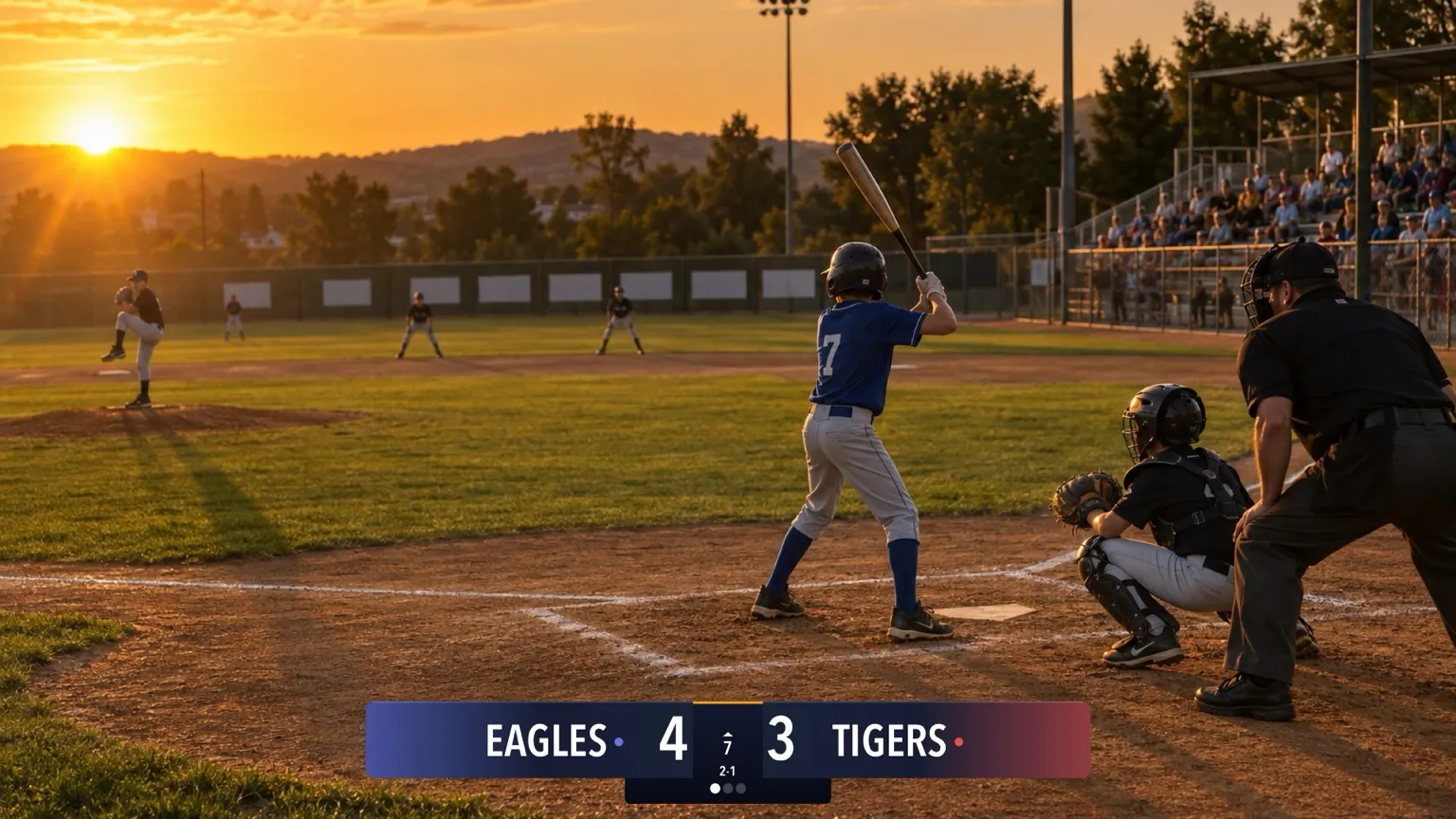
For anyone streaming baseball or softball, from T-ball to high school. Tap balls, strikes and outs as they happen, and the app handles walks, strikeouts and the change of innings. New to the scoreboard? Start with How to set up your scoreboard.
Pick your board
Baseball has 12 boards on 6 cards in the picker: four looks along the top or bottom (each with Standard and Advanced) and two Vertical sizes for a corner, each also with Standard and Advanced.
Horizontal
Standard

Advanced

Standard

Advanced

Standard

Advanced

Standard

Advanced

Vertical
Standard
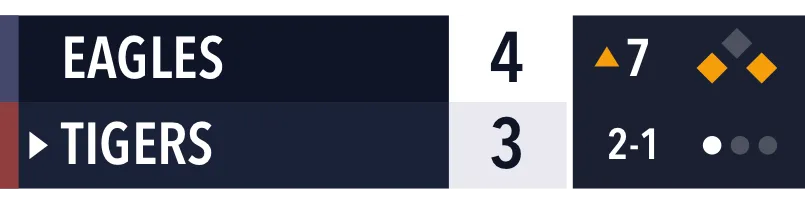
Advanced
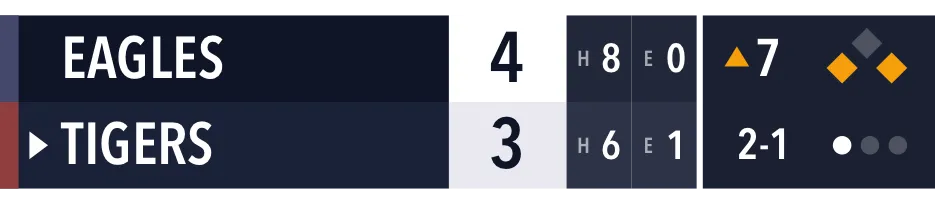
Standard
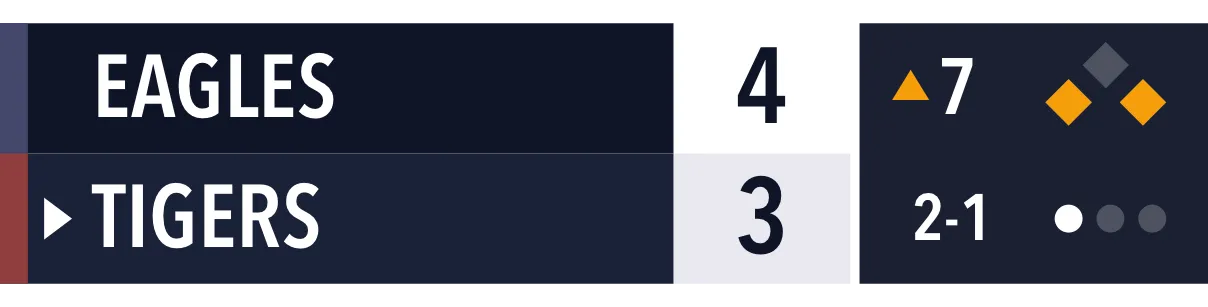
Advanced
| Board | Free or Pro | What viewers see |
|---|---|---|
| Classic · Standard | Free | Team names, runs, ▲ or ▼ with the inning, the count, and three out dots. |
| Broadcast, Studio or Slim · Standard | Pro | The same, in that look and in your team colors. |
| Advanced, in any look | Pro | Adds the bases, with runners lit up. |
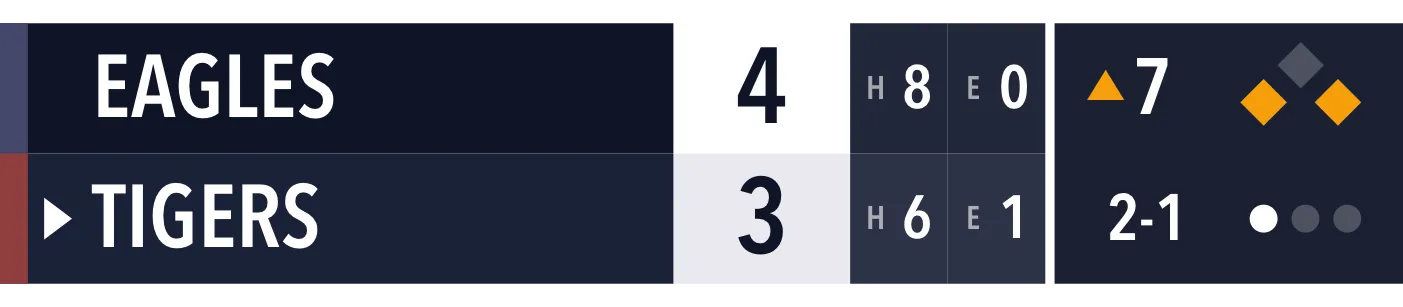
| Vertical and Vertical Large | Pro | Team names, runs, the team at bat, the inning, the bases, the count and the outs, in a corner of the frame. |
| Vertical · Advanced and Vertical Large · Advanced | Pro | Adds hits and errors for each team. |
The rules
Baseball has no Rules page and no innings limit. The game doesn’t end by itself: when it’s over, stop scoring. That makes it work for softball and shortened youth games too.
The app follows the count for you:
- Ball four is a walk. Runners are forced along, and a run scores with the bases loaded.
- Strike three is an out.
- The third out puts up a five-second banner saying the inning is ending, with Undo to stay in the inning. Then the next half-inning starts with the count, the outs and the bases cleared.
Score a game
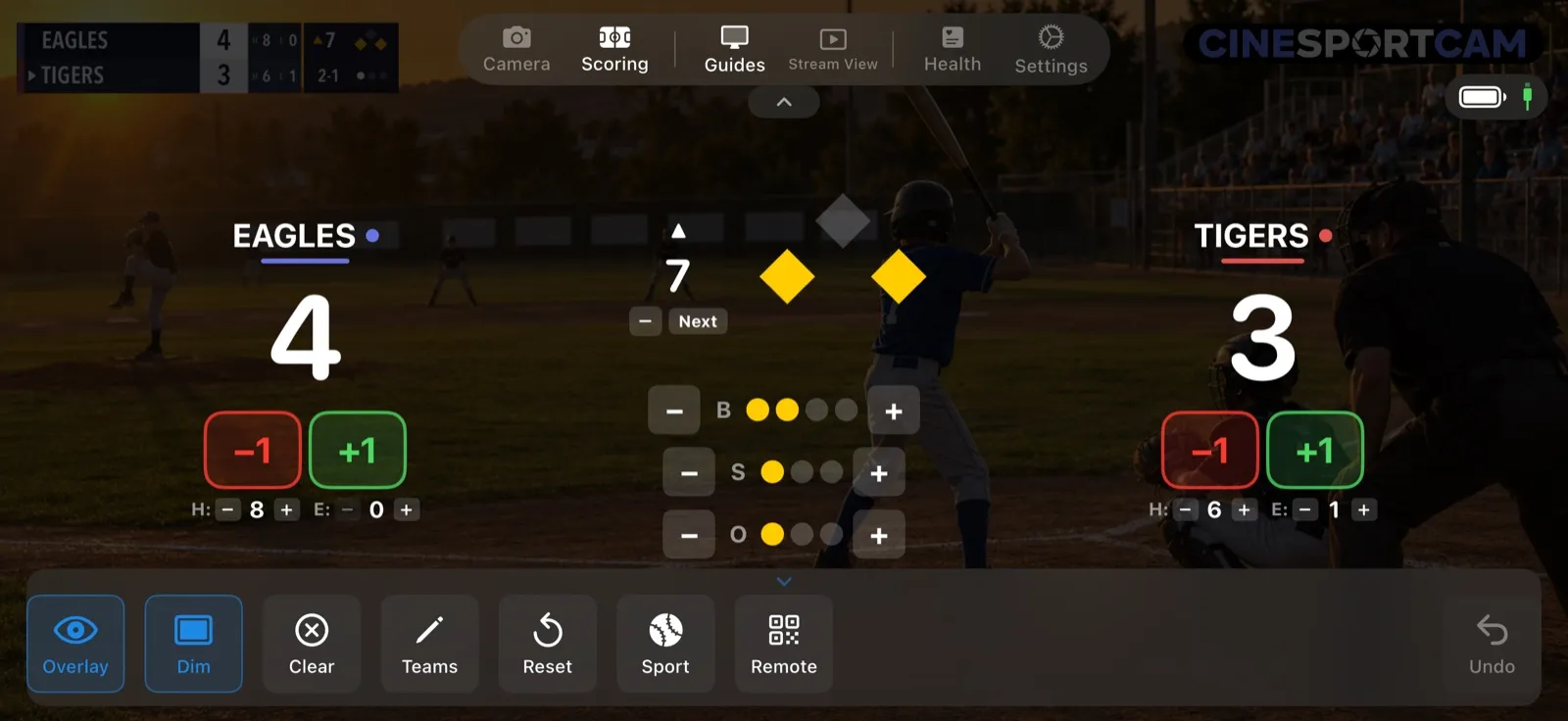
- Runs: +1 and −1 for each team.
- The inning, with − to go back half an inning and Next to move on.
- B, S and O rows with dots for balls, strikes and outs, with − and + on each.
- Clear, in the action bar, clears the count.
- The bases: on the Advanced board and every Vertical board, tap a base to put a runner on it or take one off.
- H and E: on the Vertical · Advanced boards, counters for each team’s hits and errors.
What viewers see
Top of the 7th: EAGLES lead TIGERS 4–3, with runners on first and third, a 2-1 count and 1 out. EAGLES have 8 hits and no errors; TIGERS have 6 hits and 1 error.
- Ball three. Tap + on B: the count goes to 3-1.
- Ball four. Tap + on B again: it’s a walk. The batter takes first, the runner on first moves to second, and the runner on third stays put because the bases weren’t loaded.
- The third out. The banner gives you five seconds to Undo if it was a mistake. Then the bottom of the 7th starts with the count, outs and bases cleared.
Remote scoring
The web scorer has the runs, the inning with − and Next, +B, +S, +O and Clear, the bases, and a countdown before the next inning. Hits and errors stay on the phone. See the remote scoring guide to start a session.
Tips
- Want hits and errors on air? Pick the Vertical · Advanced board.
- Tapped the third out by mistake? Tap Undo while the banner is up and you stay in the inning.