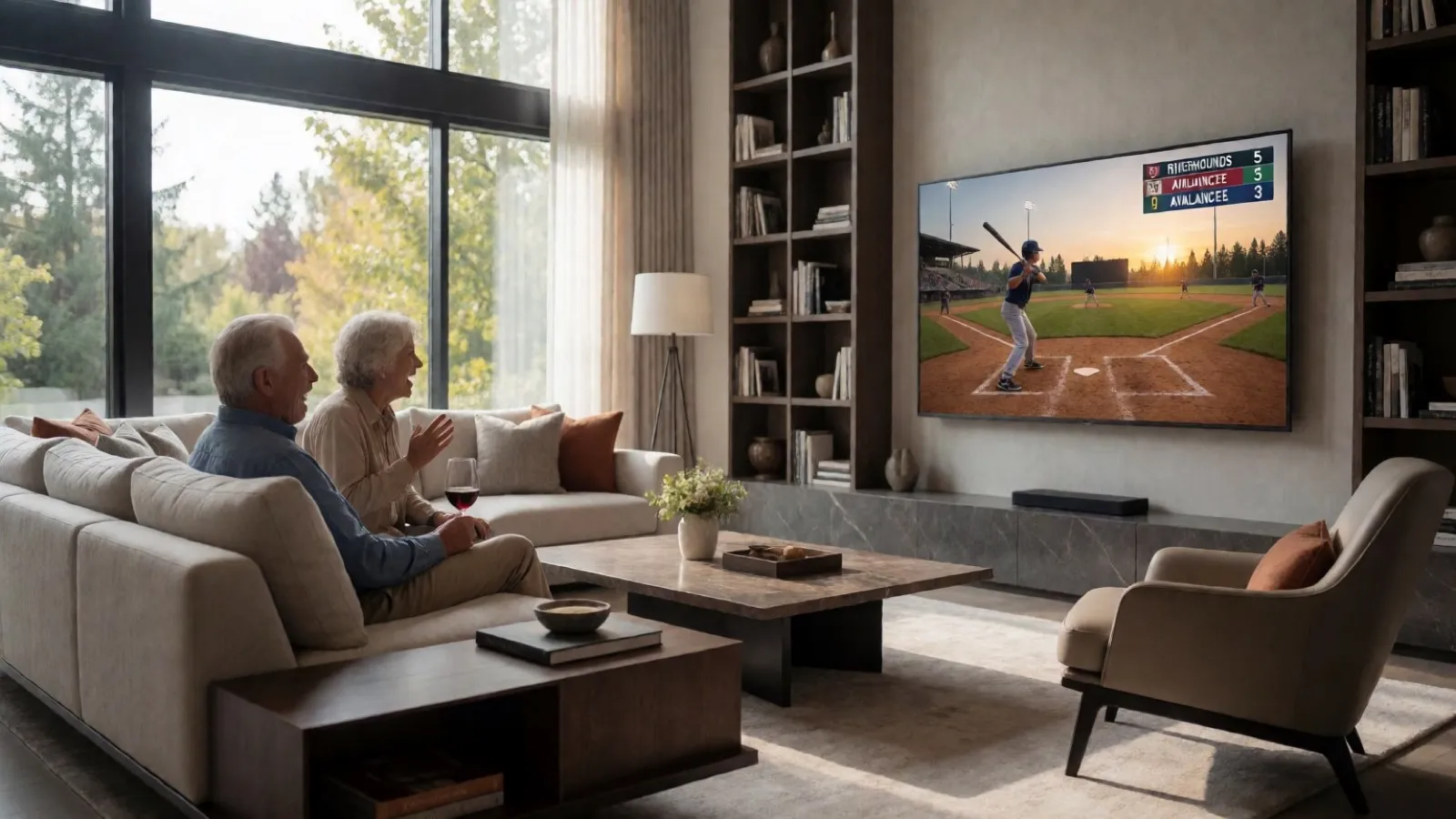
CineSportCam 2.5: Meet the New Scoreboards
Four scoreboard looks, your team colors, Advanced boards for set sports, Vertical boards for the corner, beach volleyball, and a picker that shows every board on a real game photo.
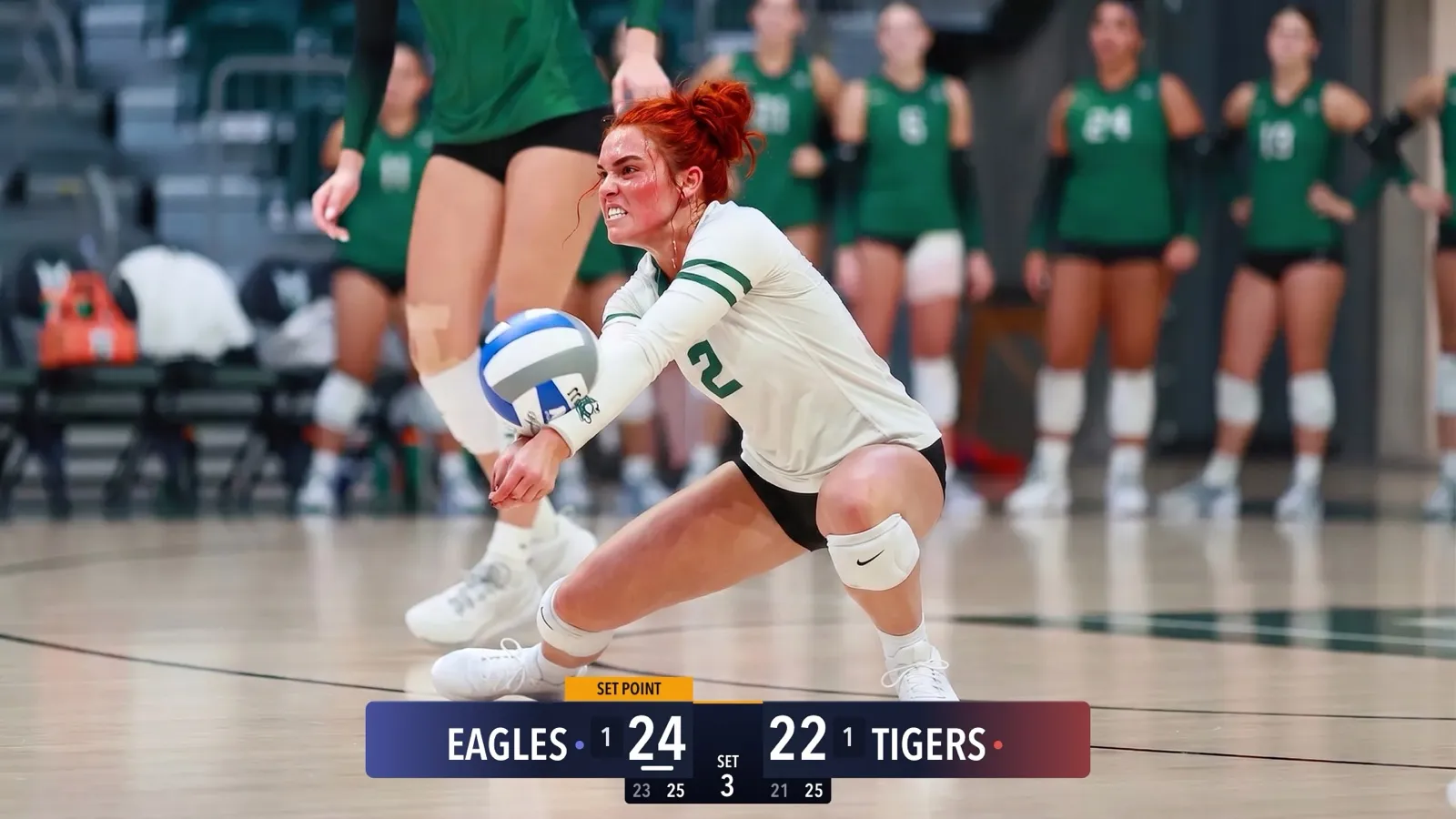
CineSportCam 2.5 is all about the scoreboard. It looks better on air, it takes up less of the picture, and choosing one is now a matter of tapping the board you like on a real game photo. Here is everything that changed.
Four looks




Classic is the board you know, and it stays free. Three new looks join it in Pro:
- Broadcast has glowing team-color panels, like a TV sports graphic.
- Studio puts each score on its own tile.
- Slim is a thin, rounded bar for when you want the game, not the graphics.
On Broadcast and Studio, a tier under each score carries the extra details, like past set scores or timeouts left.
Smaller and cleaner on air
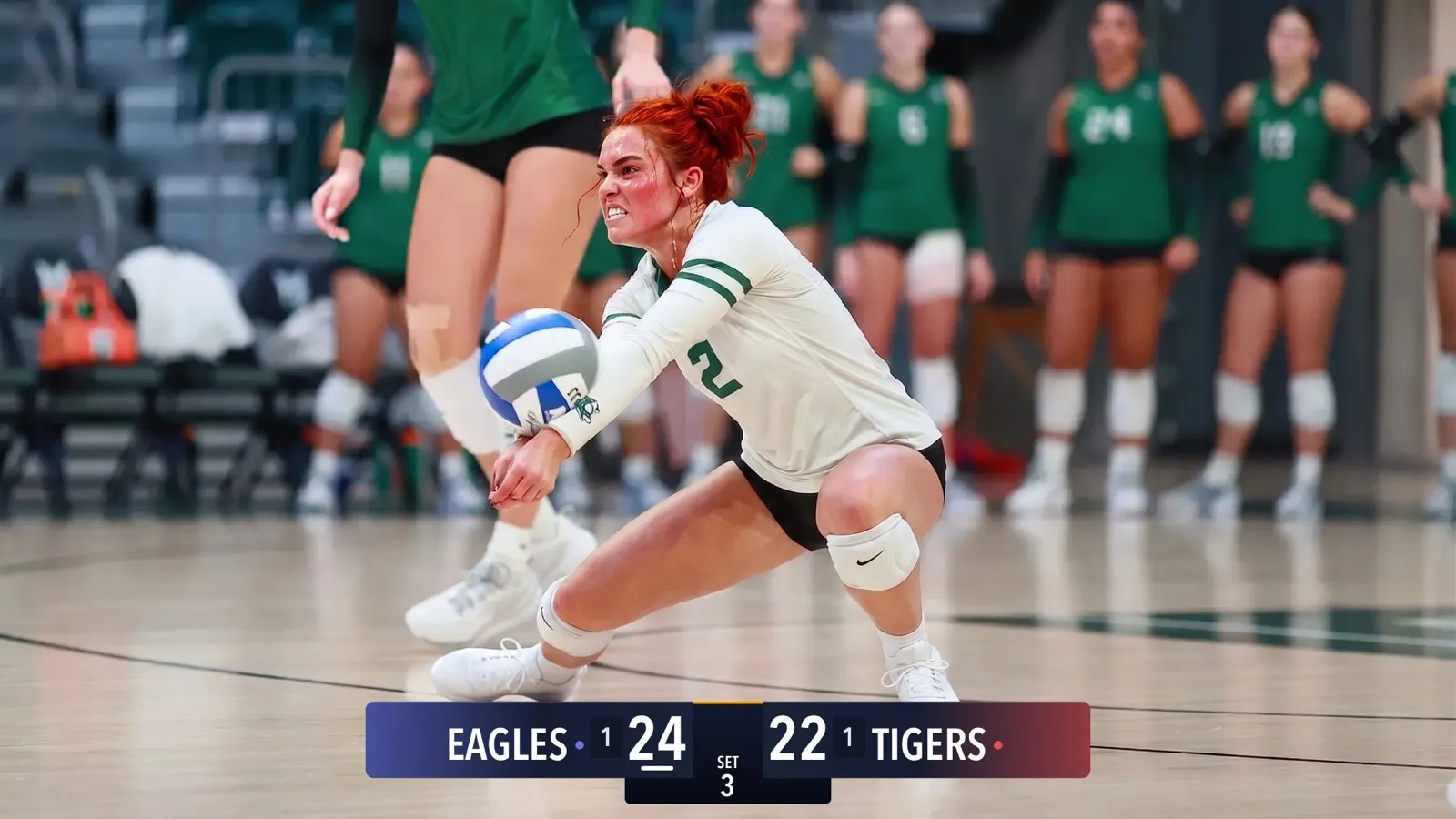
Scoreboards across the top or bottom of the frame now go on air at 75% of their old size, so they cover less of the action. The watermark also moves out of the board’s way, to whichever corner the board doesn’t cover.
Your colors
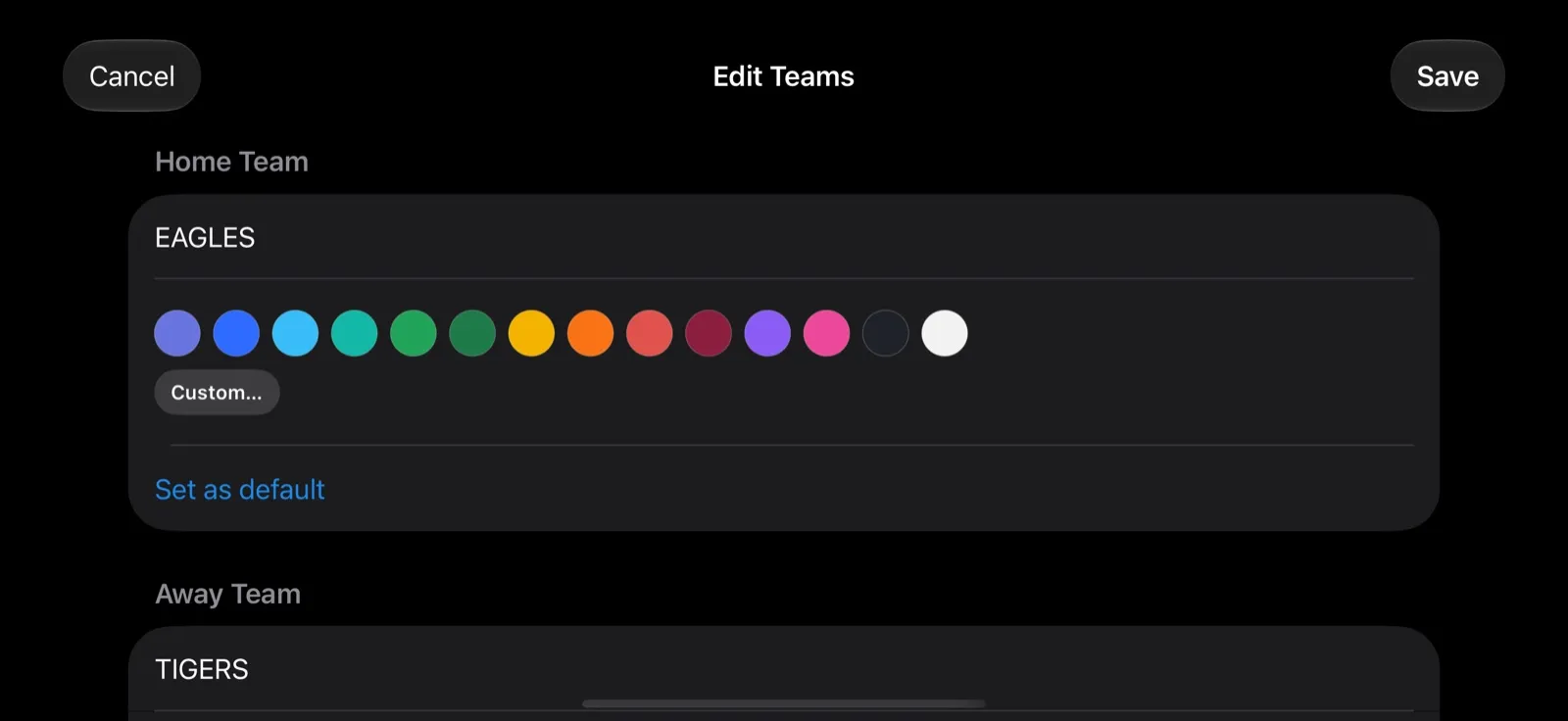
With Pro, give each team its own color from 14 swatches, or tap Custom… to mix one with the Hue, Strength and Shade sliders. Broadcast, Studio, Slim and Vertical boards wear those colors on air. Classic keeps its own blue and red.
Colors are remembered by team name, so the next time you type your team in, its color comes back. Tap Set as default to make your team the default Home team. To get there, tap Teams while scoring, or just tap a team’s name.
Advanced boards for set sports

Volleyball, beach volleyball, badminton, table tennis and pickleball now have an Advanced board. It shows the scores of the sets already played and raises a SET POINT, GAME POINT or MATCH POINT tab over the team that has it.
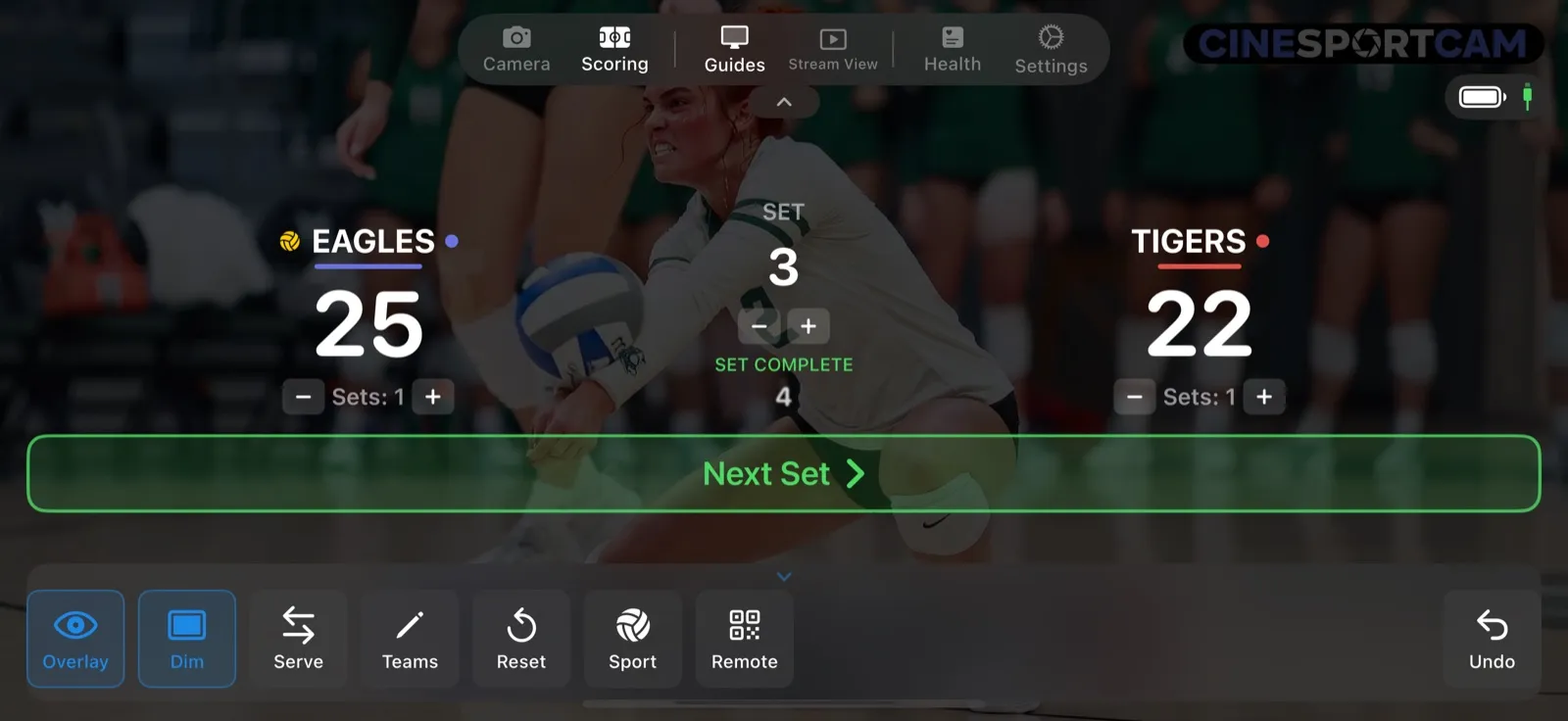
When a set is won, the board waits for you. On Advanced and Vertical boards, and on volleyball’s Compact board, the next set starts by itself after a short countdown: 5 seconds by default, or 10 seconds, or straight away, set in that sport’s Rules page. On Standard boards, you tap Next Set (Next Game in badminton, table tennis and pickleball). The point that wins the match ends it on the spot, and the final score stays on the board.
Vertical boards for the corner
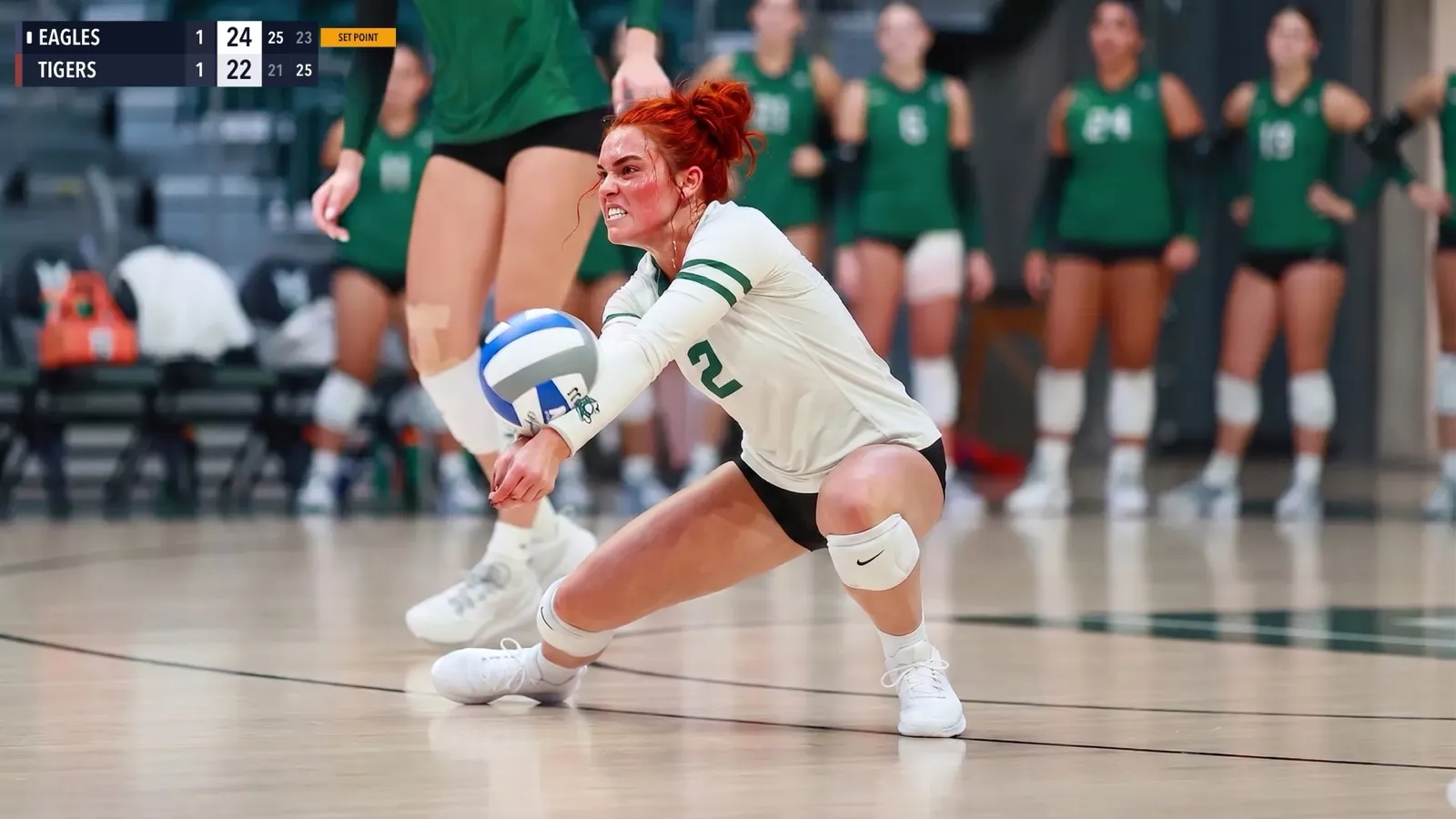
Every sport now has a Vertical board that sits in a corner of the frame, with a row per team. It comes in two sizes, Vertical and Vertical Large (half as big again), for when your viewers watch on a TV across the room.
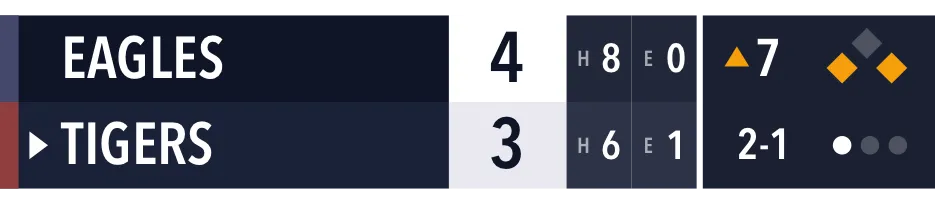
Baseball’s Vertical boards show the bases, the count and the outs, and Vertical · Advanced adds hits and errors.
Beach volleyball is here
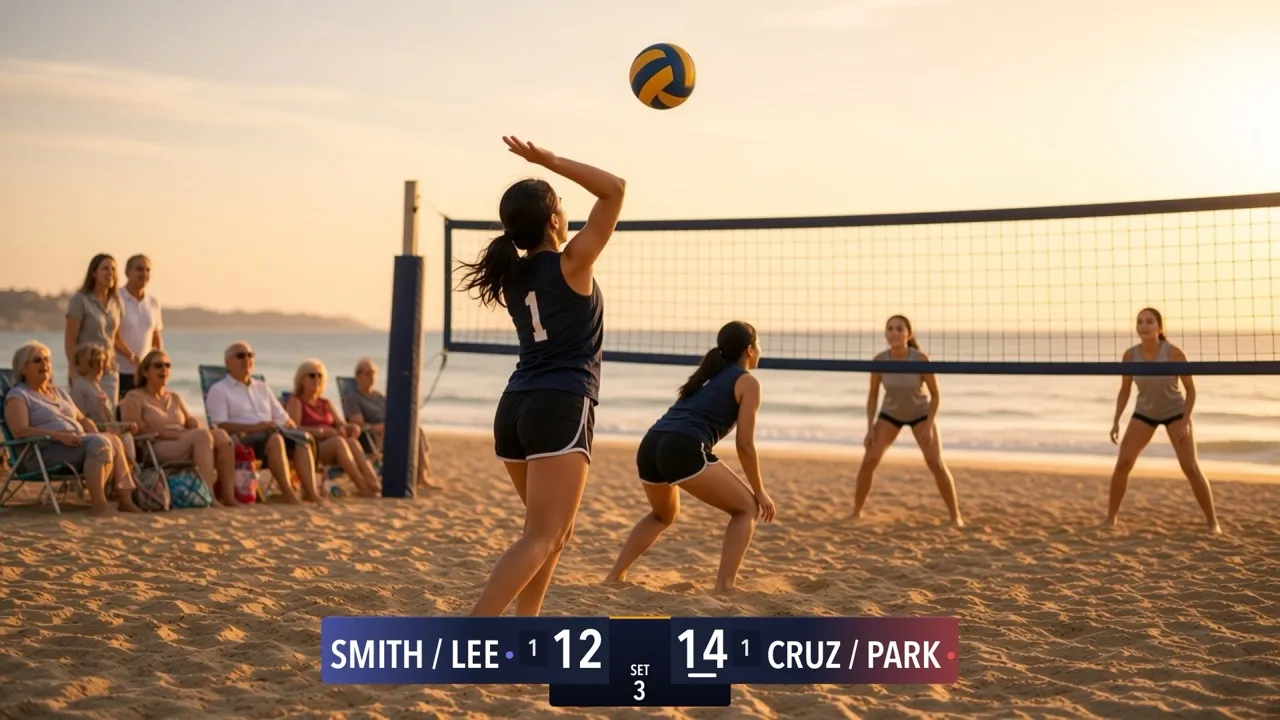
Beach volleyball is the twelfth sport. Matches are best of 3, sets go to 21 (the third to 15), and you win by 2. Every 7 points, or every 5 in the third set, your phone and the web scorer remind you to switch sides. The reminder is just for you: viewers never see it.
A new way to pick your board
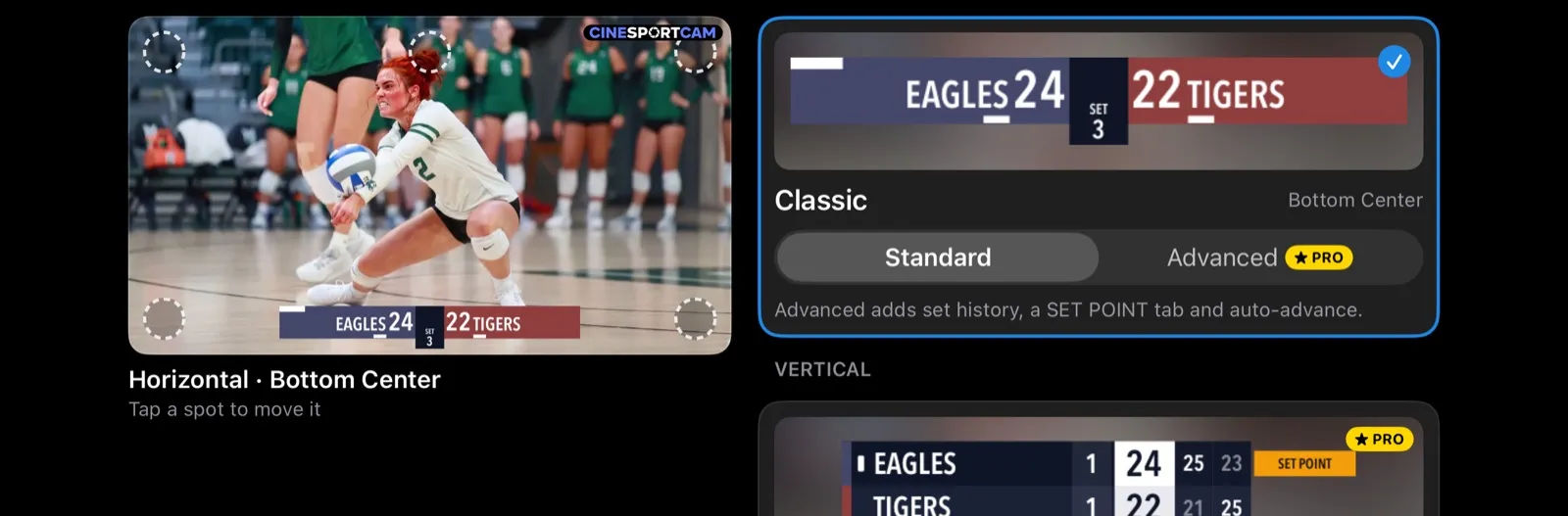
Open Settings → Display → Scoreboard, or tap Sport while scoring. Pick the sport along the top, then a board. Boards are grouped by style (Horizontal, Vertical, Compact), each card shows a look, and cards with two versions let you choose Standard or Advanced. Pro boards carry a PRO badge.
The preview is a real game photo with your board on it. Tap one of the spots to place the board, top or bottom, left, center or right. Each style remembers its own spot, so your Vertical board can live in a corner while your Horizontal board stays along the bottom.
Stream View and a quieter screen
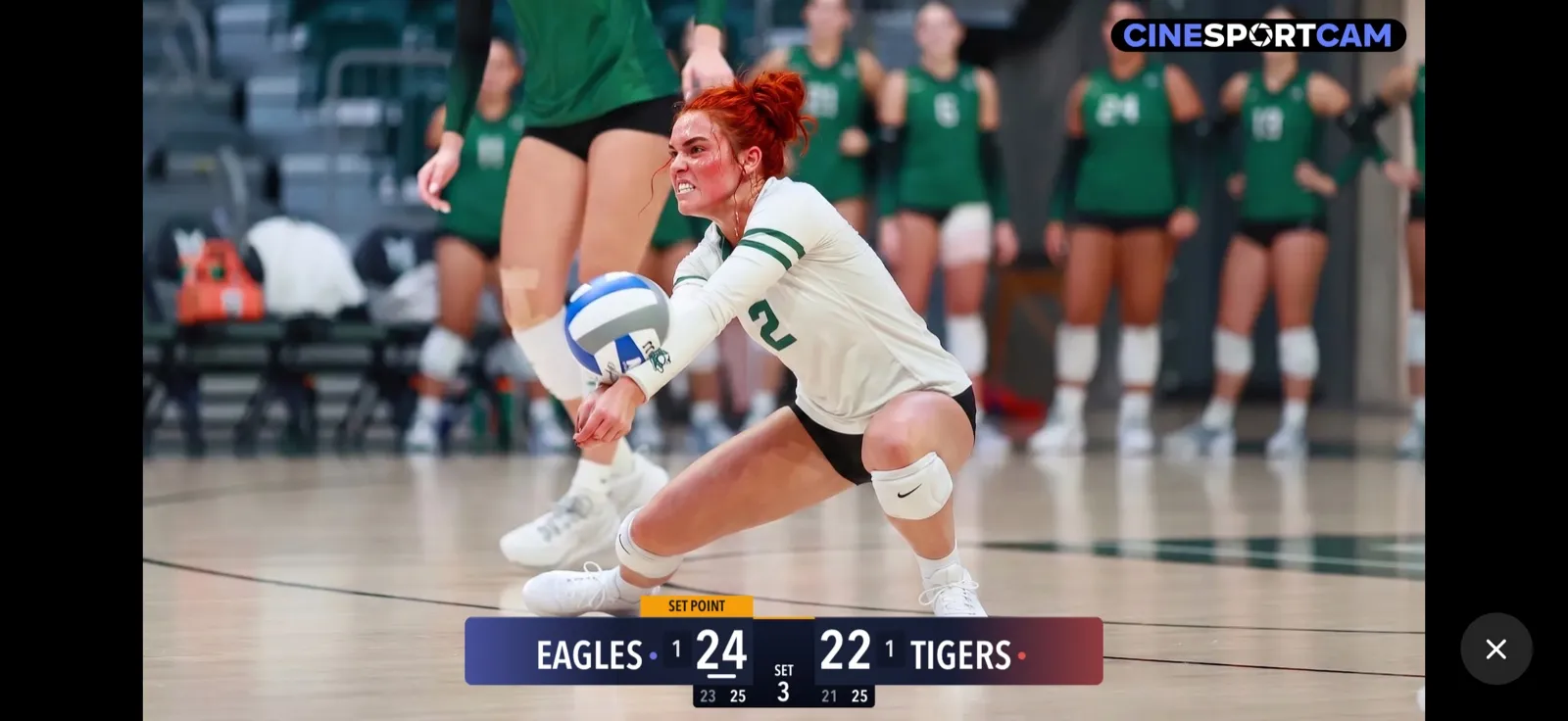
Stream View, in the menu bar of Camera and Scoring mode, shows exactly what your viewers see, with no controls in the way. Tap anywhere to get the controls back.
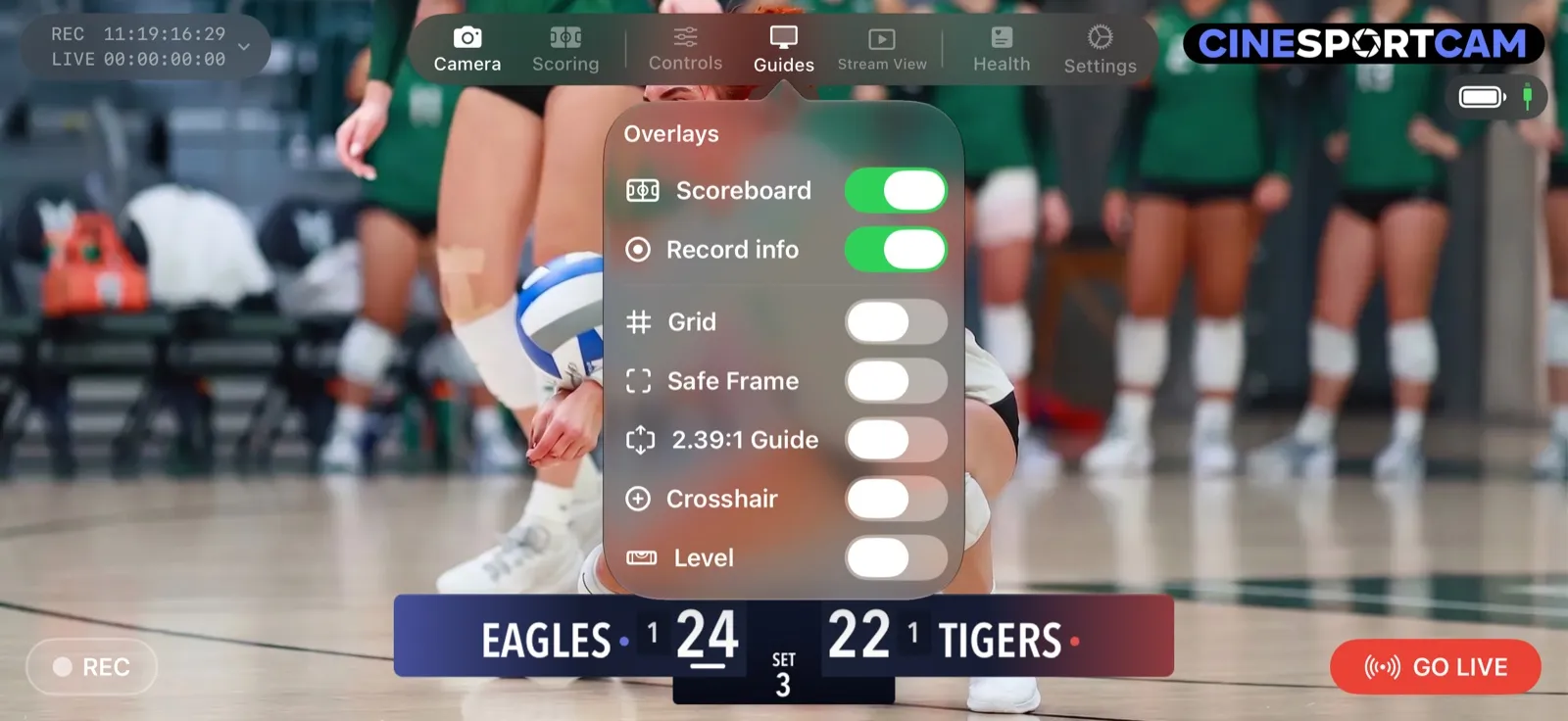
The REC and LIVE timer now stays out of the way until you record or go live. If you like having it up all the time, turn on Record info in Guides.
Also in 2.5
- Undo takes a match point back in one step, and it no longer rewinds a running game clock.
- Switching boards mid-game is safe: change to another board for the same sport and the score, fouls and clock carry over.
- Three-digit scores shrink to fit on Studio and Slim score tiles, on Generic boards and on basketball’s Compact board.
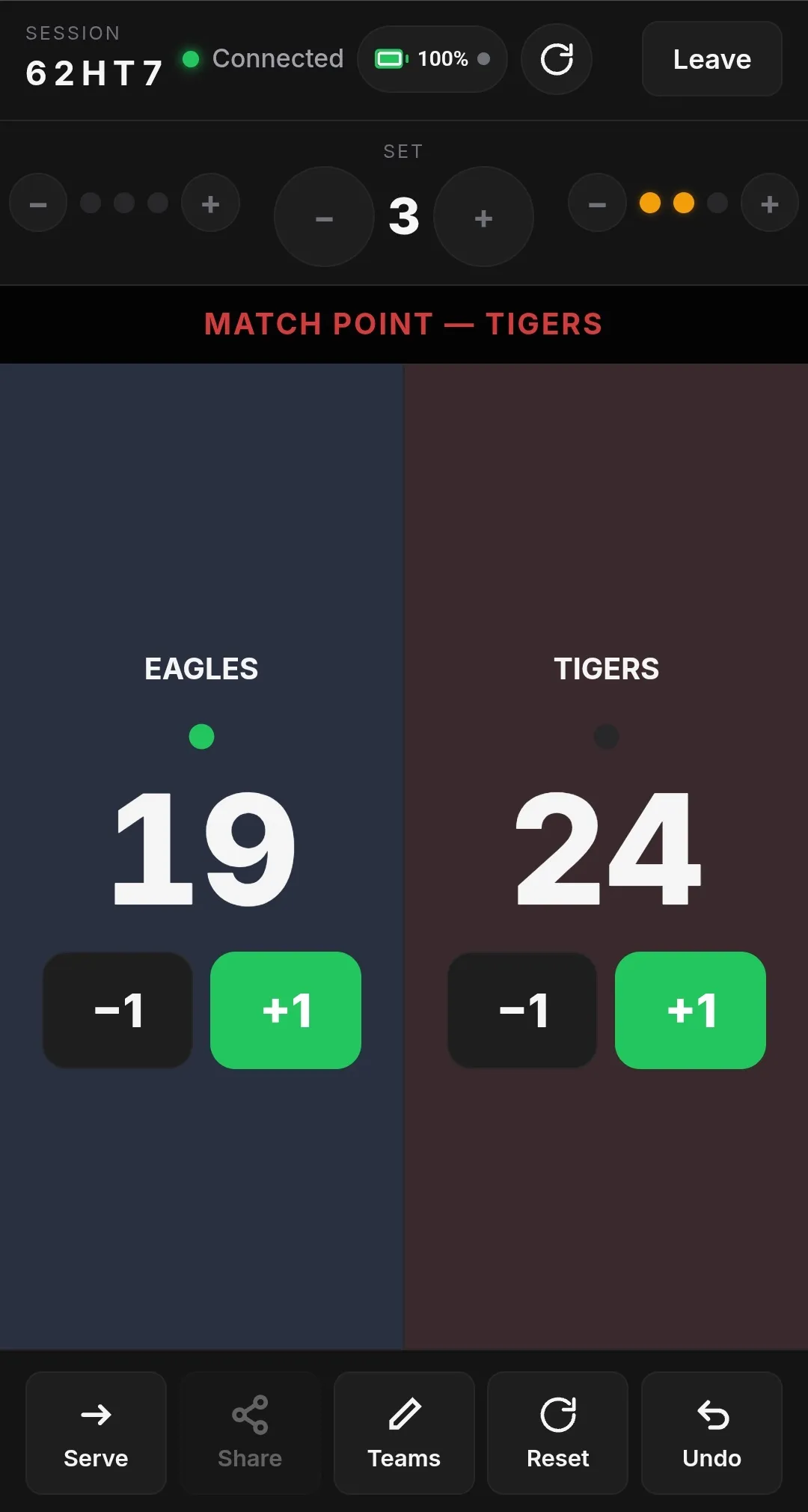
- The web scorer shows the winner when a set-sport match ends, stays in step with the phone after a reconnect or an Undo, and greys out the clock, foul and timeout controls when your board doesn’t show them.
- VoiceOver reads “Serving” on the serving team.
Match point
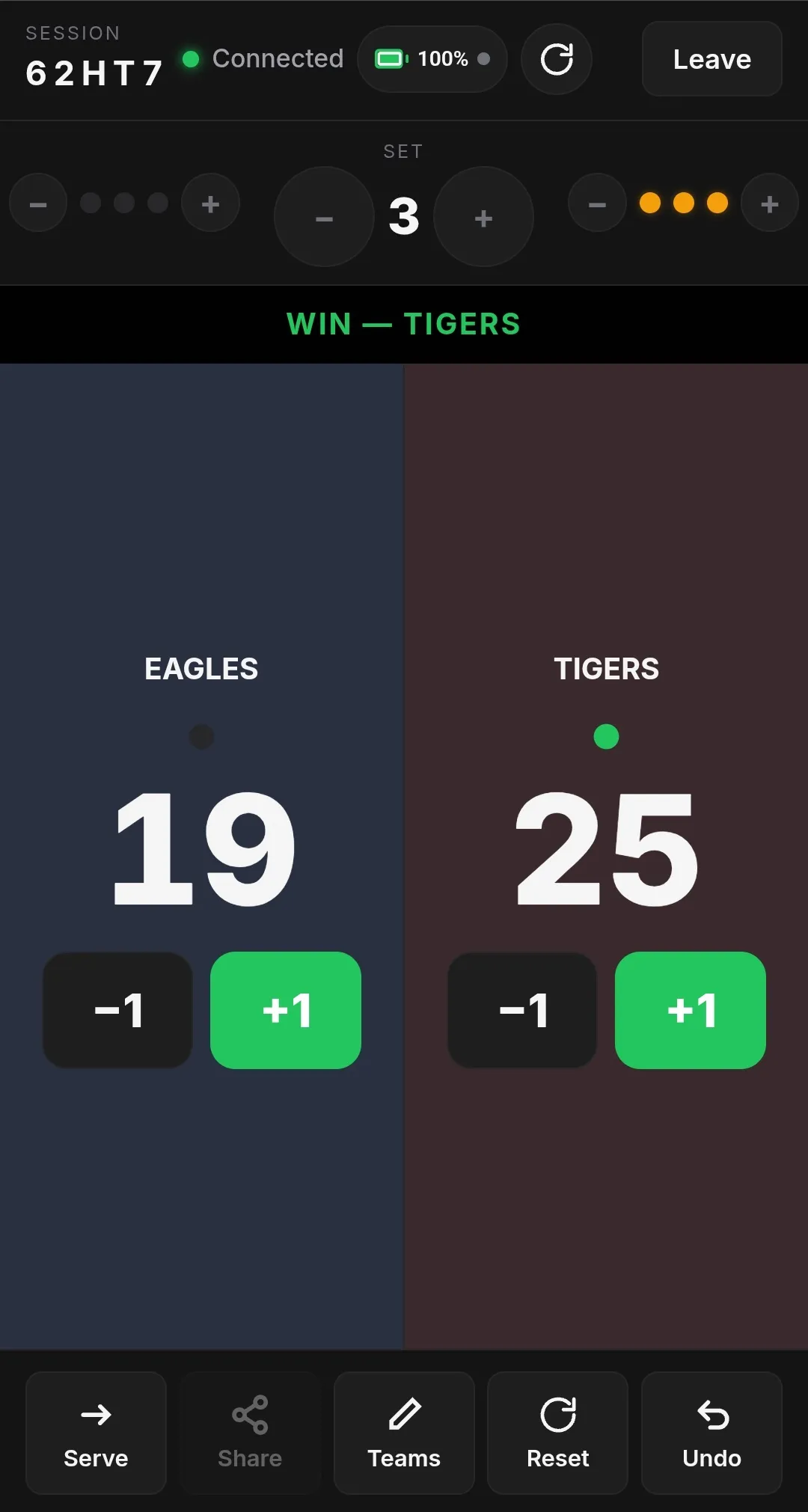
Win
What’s free and what’s Pro
If you had a Compact board selected when you updated, it stays free for you on that device. And if you’re a Pro subscriber on a Classic board, the update moves you to its Broadcast version once, with a note. You can switch back anytime in the picker.
Guides for every sport
New to the scoreboard? Start with How to set up your scoreboard. Then find your sport:
- Volleyball and beach volleyball
- Pickleball, badminton and table tennis
- Basketball, soccer and American football
- Baseball and softball, ice hockey and lacrosse
- Any other two-team game, from ultimate frisbee to kickball